We’ve all been there, hundreds of tasks, different niches, different people, and most importantly, a different mindset required for each task… and me being in the digital marketing industry, these things are way too common. Oh God, organizing tasks is like another task on top of the hundreds of tasks I already need to do.
So, like most people, I went to YouTube, Quora, Reddit, and many other platforms and started researching how people actually organize stuff. I got a lot of inputs.
Some say, use Notion. It has thousands of features which we are probably never going to use in our life. And some say we should use a project management tool. I was like, wait, what? A project management tool to organize my work?
Then I thought, no, this is not my type. I can’t sit all day writing what I’m supposed to do today instead of doing the “actual work” that I must do.
If I just sit all day writing and organizing my work using Notion or any other PM tools, then my clients will be on my head asking for updates on the actual work that needs to be done.
Then I came to a conclusion. I’ve been using Google services for over 1.5 decades, and I was pretty sure Google should have a tool for this. And I kept seeing one thing hanging in the right sidebar of my Gmail, that is Google Tasks. You know that blue icon with a tick mark slightly outside the circle? Yeah, that’s Google Tasks.
And Google Tasks is also closely integrated into my workflow, since I communicate with my clients on none other than Gmail.
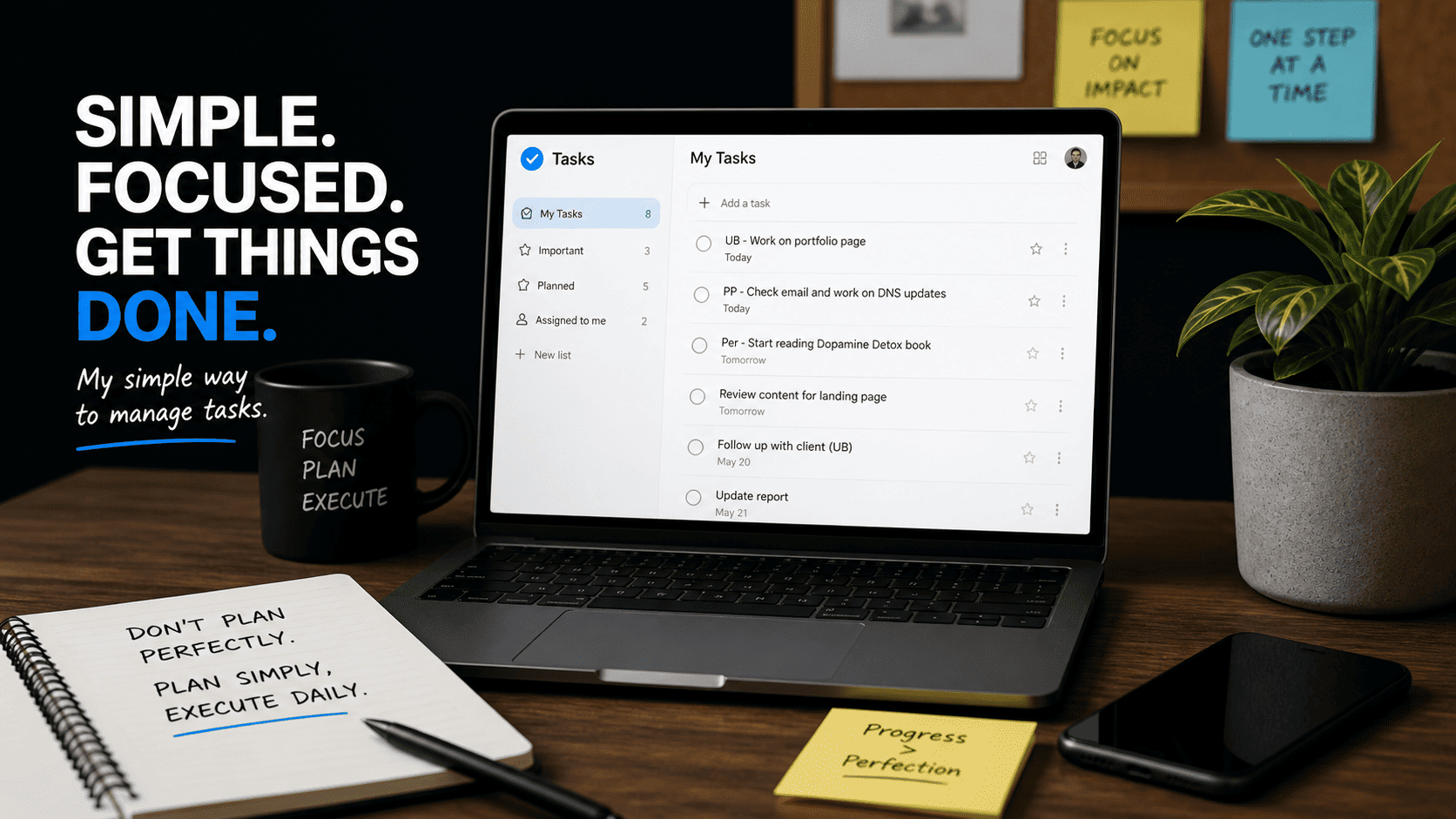
I started writing stuff in Google Tasks like:
UB – work on portfolio page
PP – check email and work on DNS updates
Per – start reading the Dopamine Detox book when free, etc.
(The prefixes like UB, PP, etc. denote the client or project name. And Per means Personal. You know, everyone needs personal development and to improve their skill set.)
Just in a very short way, which is easy to understand and remember what needs to be done. And this has been really useful for me.
Sometimes I also tag the referring email for easier access, or put the link in the details section. And sometimes I even set deadlines for tasks, which I personally hate. I’m the kind of guy who hates doing things with strict deadlines. It feels like I’m in some kind of timer game. But it might be different for you, because I’ve noticed that my team members actually work better and more efficiently when I give them a deadline. So yeah, you can ignore this part if it doesn’t make sense to you.
So to conclude, Google Tasks is my task-organizing tool, and I’m pretty convinced it can be yours too, especially if you are someone like me.
And while doing this, I noticed one more problem, a bunch of emails that I need to go through and take action on. The good thing is, I’ve already found a simple but effective way to handle this.
Stay tuned, and I’ll write a short blog about it… of course, only when I get a couple of minutes free from my work schedule.
Till then, stay strong and keep learning.
– Rocky